Project Highlights
- Deployed Nextcloud using the TrueNAS SCALE application catalog
- Extended an existing Cloudflare Tunnel to support application-specific hostname routing
- Implemented Cloudflare Zero Trust authentication policies
- Restricted access using identity-provider authentication and email-based allowlists enforced at the Cloudflare edge
- Introduced NGINX reverse proxy for centralized TLS certificate handling
- Automated certificate issuance using Cloudflare API token integration
- Enforced HTTPS and HSTS security protections
- Updated Nextcloud trusted domain configuration for reverse proxy compatibility
- Enabled secure external application access without exposing internal IP addresses
Greetings!
This article builds on Part 2 by extending secure remote access from the NAS management interface to application-level services using Cloudflare Tunnel and Cloudflare Zero Trust. The goal of this phase was to securely publish Nextcloud through an identity-aware access layer while introducing an NGINX reverse proxy layer to centralize certificate management and support structured multi-service routing through a single entry point without revealing internal system addresses.
Secure Application Access with Nextcloud, Cloudflare Tunnel, and NGINX
After establishing secure remote connectivity to the NAS platform, the next step was enabling controlled external access to hosted applications. Nextcloud was deployed using the TrueNAS SCALE application catalog and integrated into the existing Cloudflare Tunnel architecture using a dedicated subdomain and identity-based access policies. NGINX was then introduced as a reverse proxy layer to manage TLS certificates and route traffic internally between services while maintaining encrypted external connectivity
Deploy Nextcloud from the TrueNAS Catalog
Using the TrueNAS SCALE application catalog, I installed the Nextcloud container to provide secure remote file synchronization and browser-based storage access.
Once deployed, the application appeared in the Apps dashboard, where container status, networking configuration, and runtime health could be monitored. This created a functional internal Nextcloud instance accessible within the local network environment.
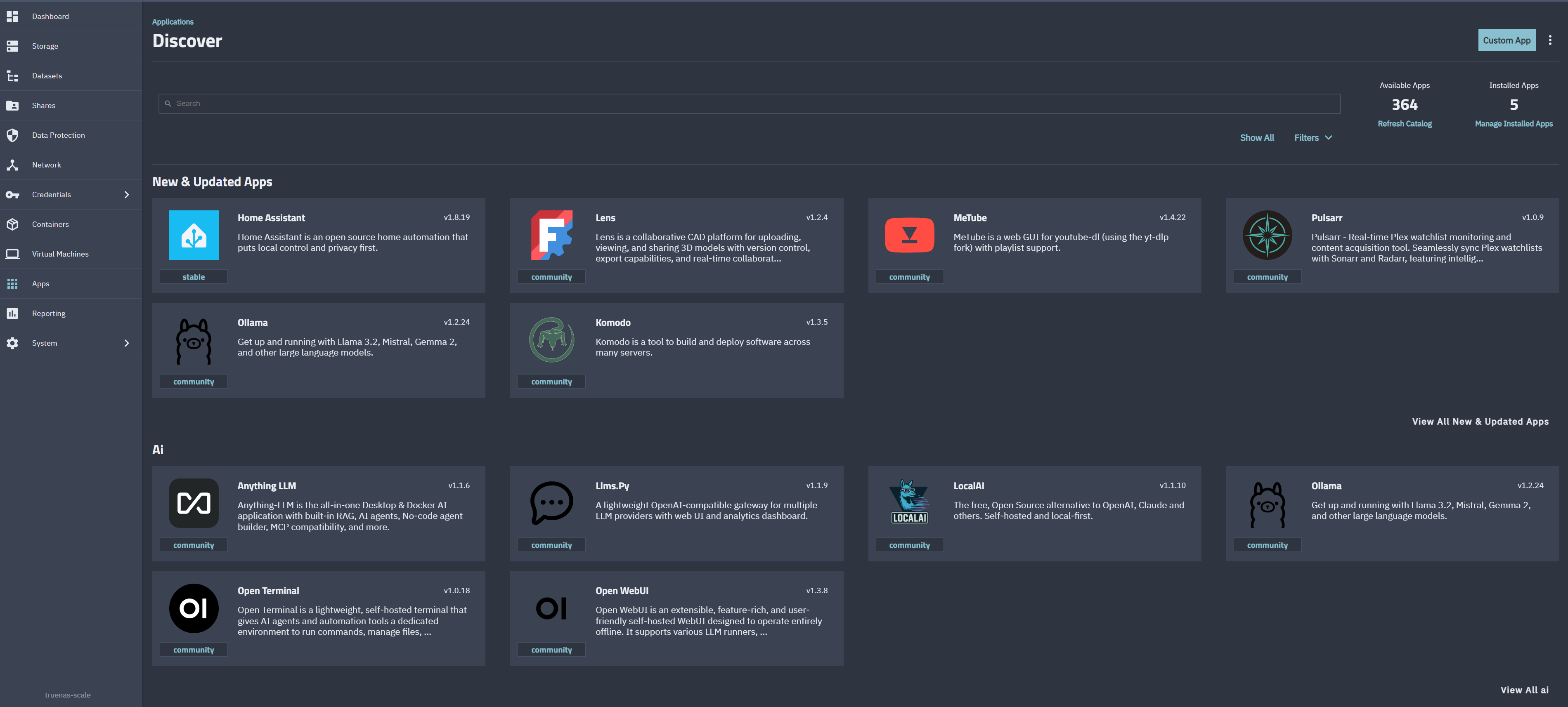
TrueNAS SCALE application catalog used to locate and deploy the Nextcloud container.
Nextcloud was deployed using the TrueNAS SCALE application catalog and verified through the Apps dashboard after installation.
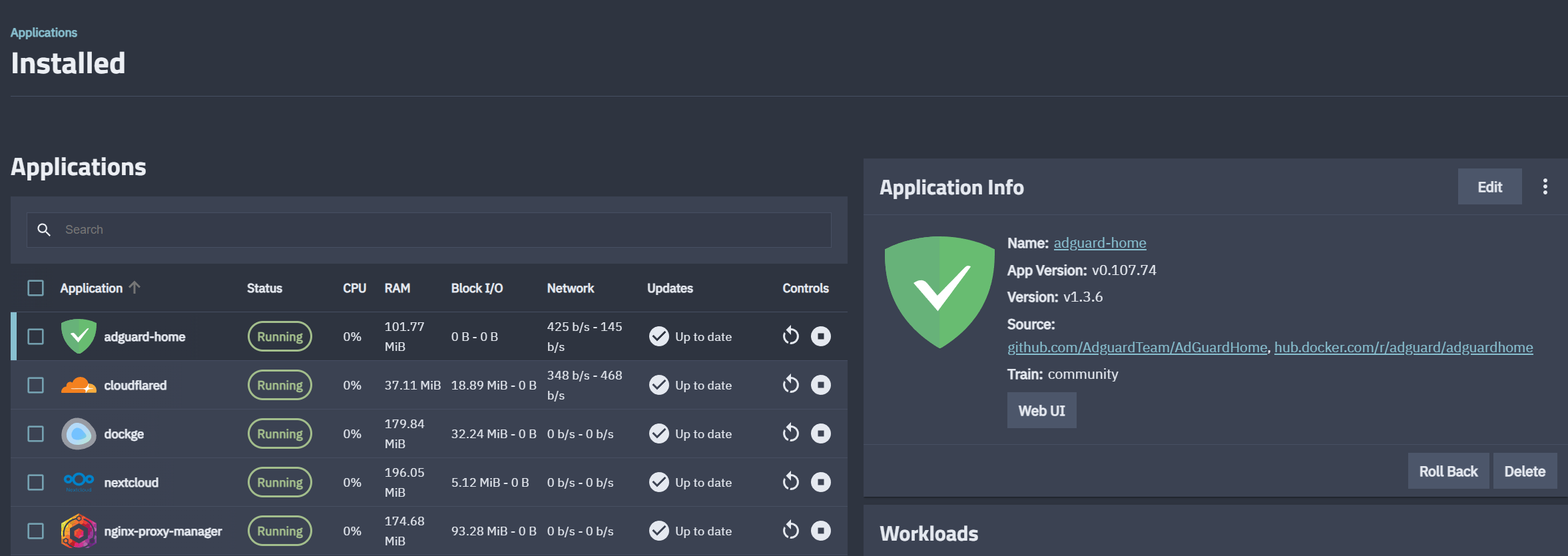
Apps dashboard confirming successful Nextcloud deployment and container availability within the TrueNAS environment.
Configure Cloudflare Tunnel Hostname Routing
To securely publish Nextcloud externally without exposing internal infrastructure to inbound internet traffic, I reused the previously configured Cloudflare Tunnel and added a dedicated public hostname entry mapped to the internal reverse proxy service.
This created a subdomain endpoint specifically for Nextcloud traffic while continuing to rely on outbound-only encrypted connectivity through Cloudflare’s edge network (Cloudflare Docs, 2026).
Cloudflare then routed external requests through the tunnel connector to the internal service port associated with NGINX (Cloudflare Docs, 2026).
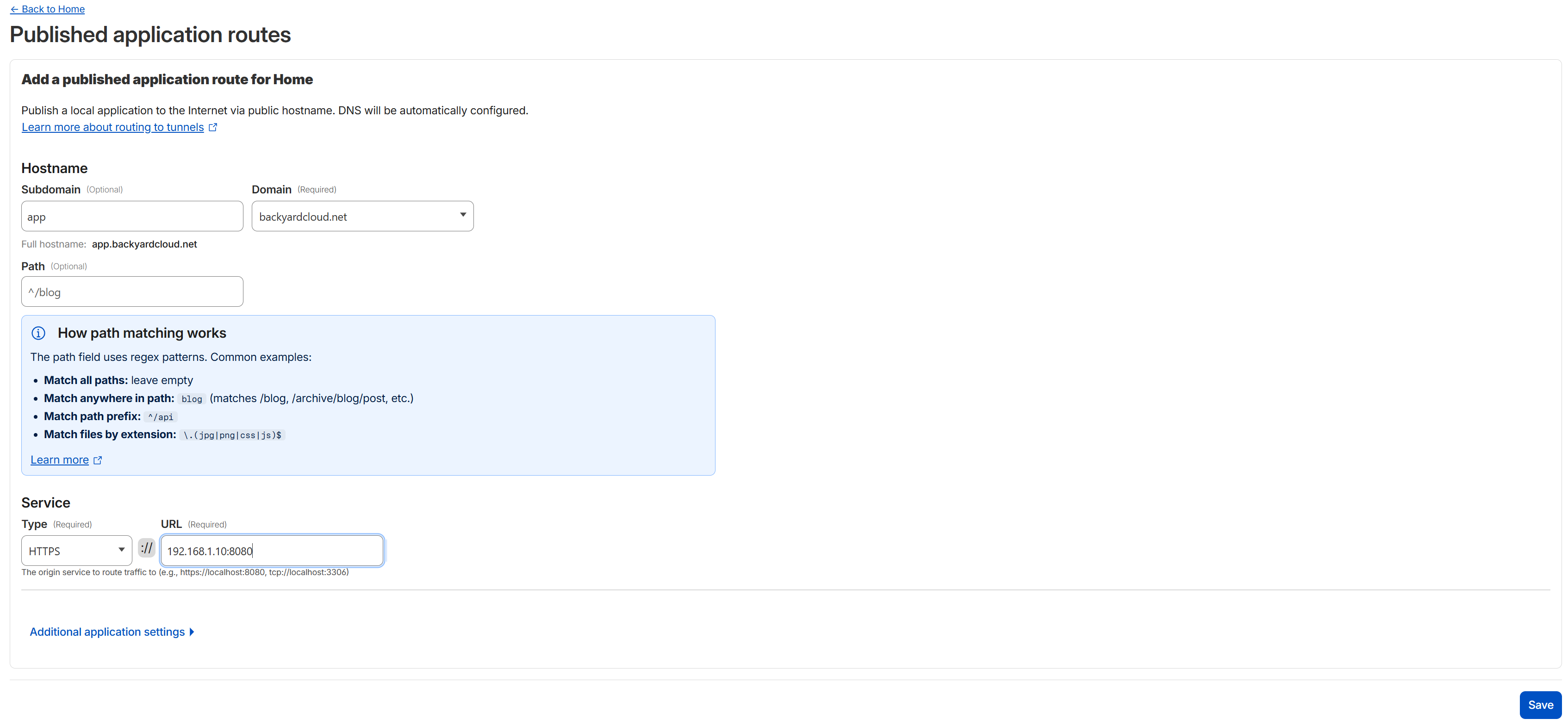
Cloudflare Tunnel public hostname entry routing external subdomain traffic to the internal reverse proxy service endpoint.
When a public hostname entry is created within the tunnel configuration, Cloudflare automatically generates the corresponding DNS record that routes traffic through the tunnel connector rather than directly exposing the internal service endpoint (Cloudflare Docs, 2026).
Apply Cloudflare Zero Trust Access Policies
After configuring hostname routing, I created a Cloudflare Zero Trust application to protect access to the Nextcloud subdomain.
Authentication was enforced using Google as an identity provider, and access control was implemented through a rule group that restricted access to a specific authorized email identity. This group was then attached to an application-level access policy applied to the published subdomain. Using a reusable access group allowed the same authorization model to be extended to additional applications published through the tunnel in later stages of the project.
This created an identity-aware access layer in front of the reverse proxy and internal service, ensuring that authentication and authorization were validated before requests entered the private network environment.
- Google identity provider configured for authentication
- access rule group created for authorized identity
- application-level allow policy applied to the Nextcloud subdomain
By enforcing access policies at the Cloudflare edge, the Nextcloud login interface remained inaccessible to unauthorized users even if the public hostname became known.
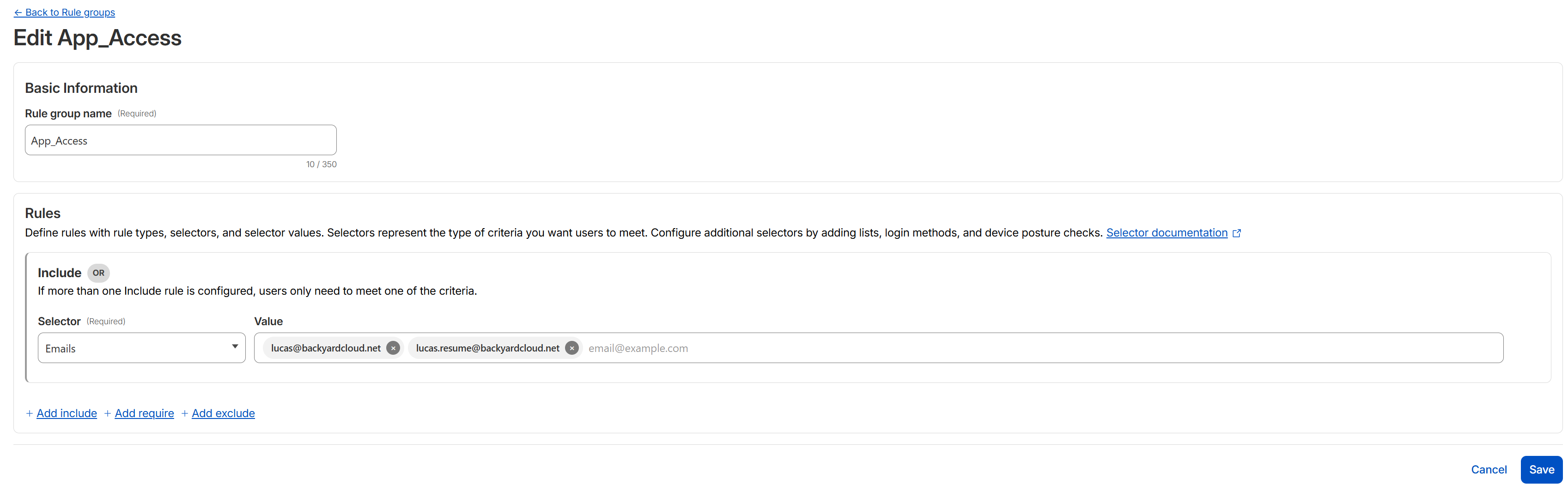
Access group restricting authentication to an approved identity.
The access group was then attached to an application-level allow policy applied to the published subdomain endpoint.
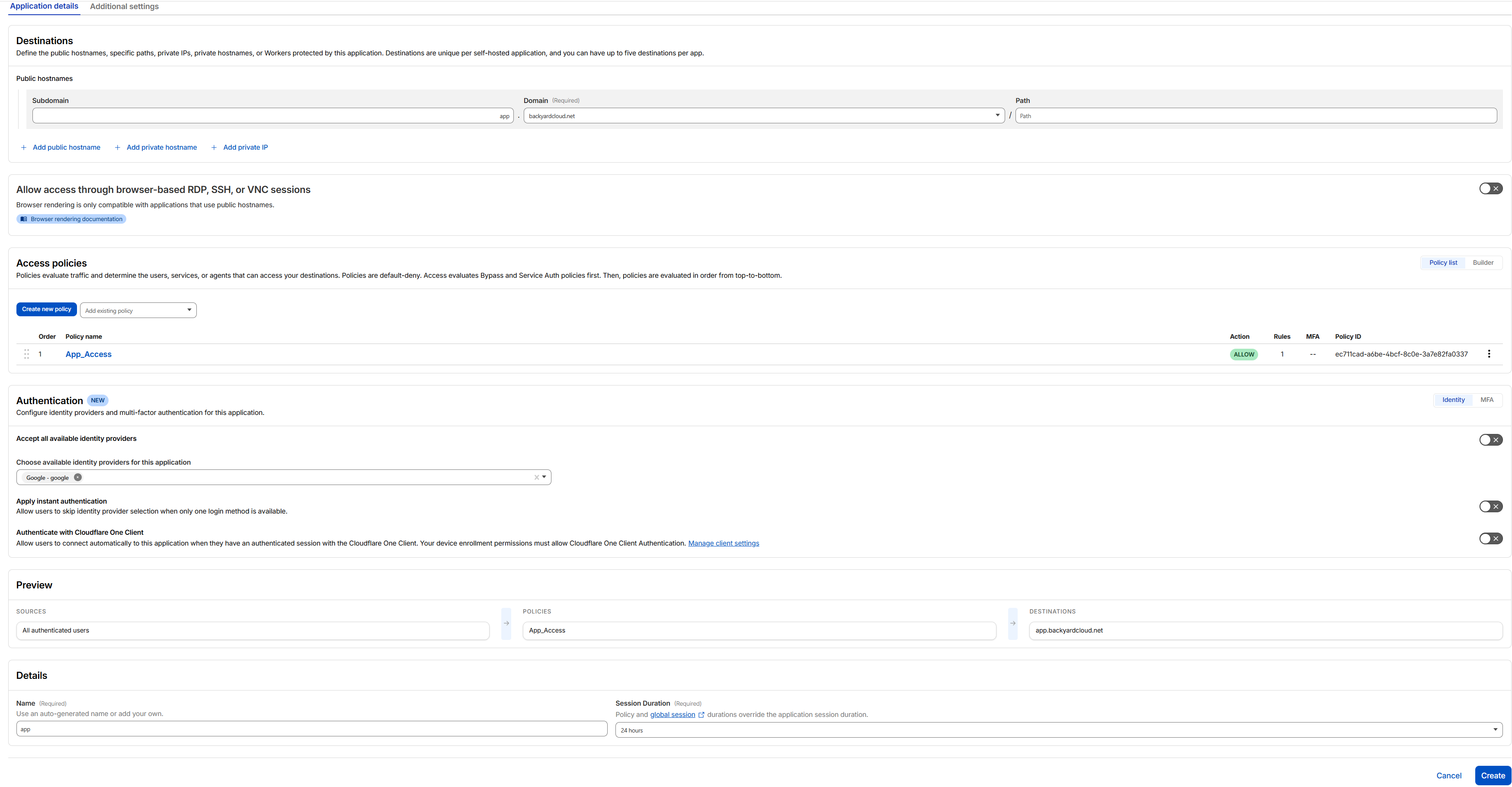
Application-level policy applying the access group to the Nextcloud subdomain.
Configure NGINX Reverse Proxy and TLS Certificates
To centralize certificate management and support structured routing between services, I deployed NGINX as a reverse proxy in front of the Nextcloud container.
Instead of routing Cloudflare Tunnel traffic directly to the container, NGINX handled:
- TLS certificate issuance
- HTTPS enforcement
- reverse proxy routing
- centralized exposure of multiple services through a single entry point
Trusted SSL certificates were generated using a Cloudflare API token and applied within the NGINX proxy host configuration.
To enable automated certificate issuance, an API token was first created within the Cloudflare dashboard and scoped for DNS validation access.
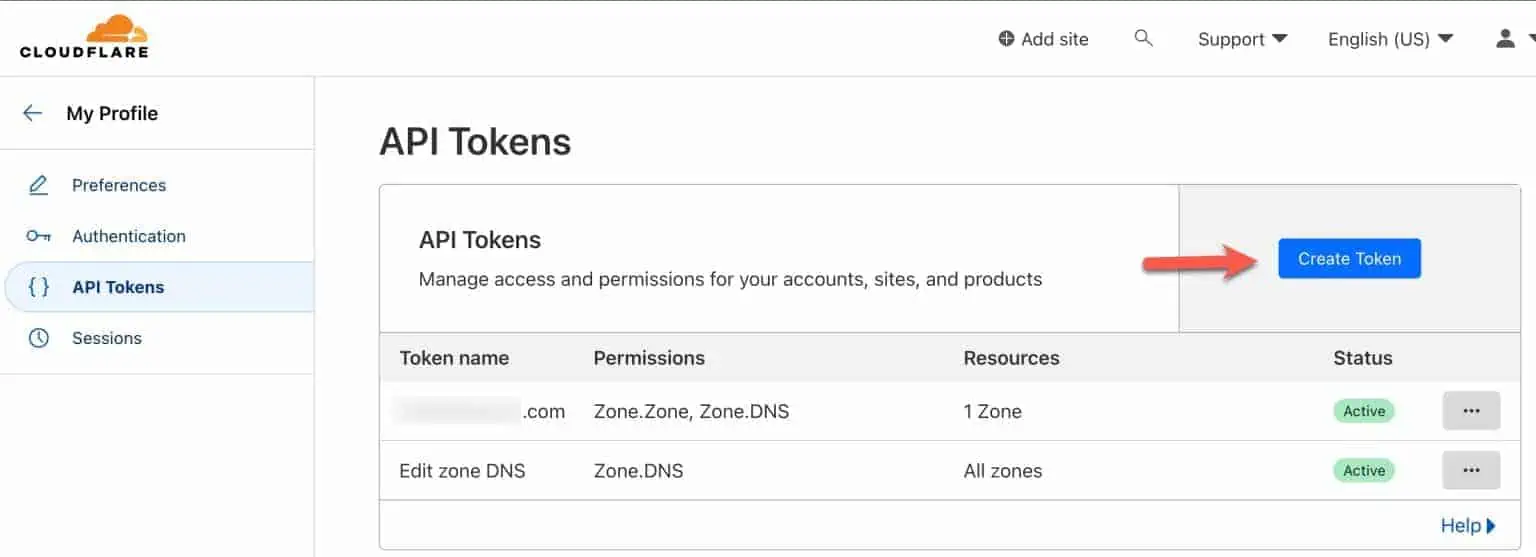
Refernce of Cloudflare API token created to allow automated DNS validation for certificate issuance within NGINX. (Seaman, 2023)
After generating the API token, it was added to the NGINX certificate management interface to request trusted SSL certificates for the configured subdomain.
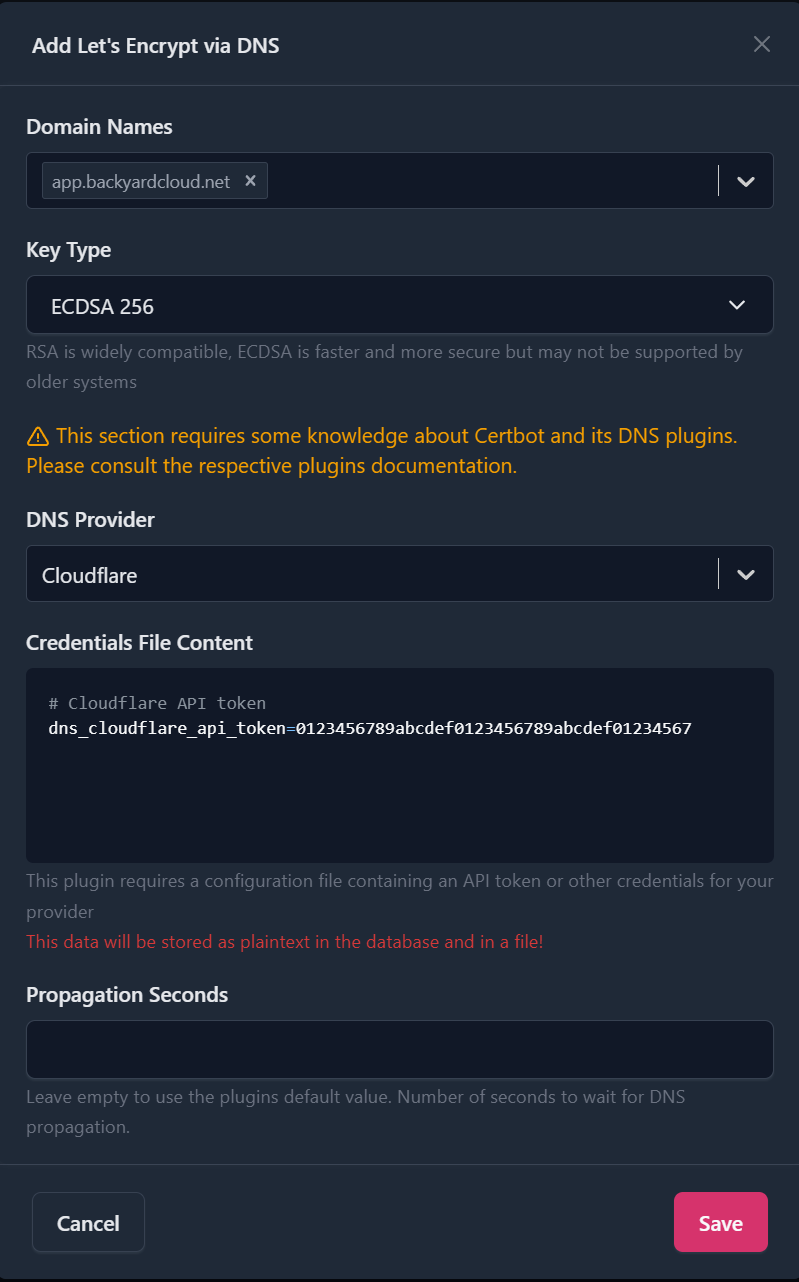
NGINX certificate configuration using Cloudflare DNS challenge for automated SSL certificate generation.
Once the certificate was issued, a proxy host entry was created to route HTTPS traffic from the public hostname to the internal Nextcloud service over the reverse proxy network path.
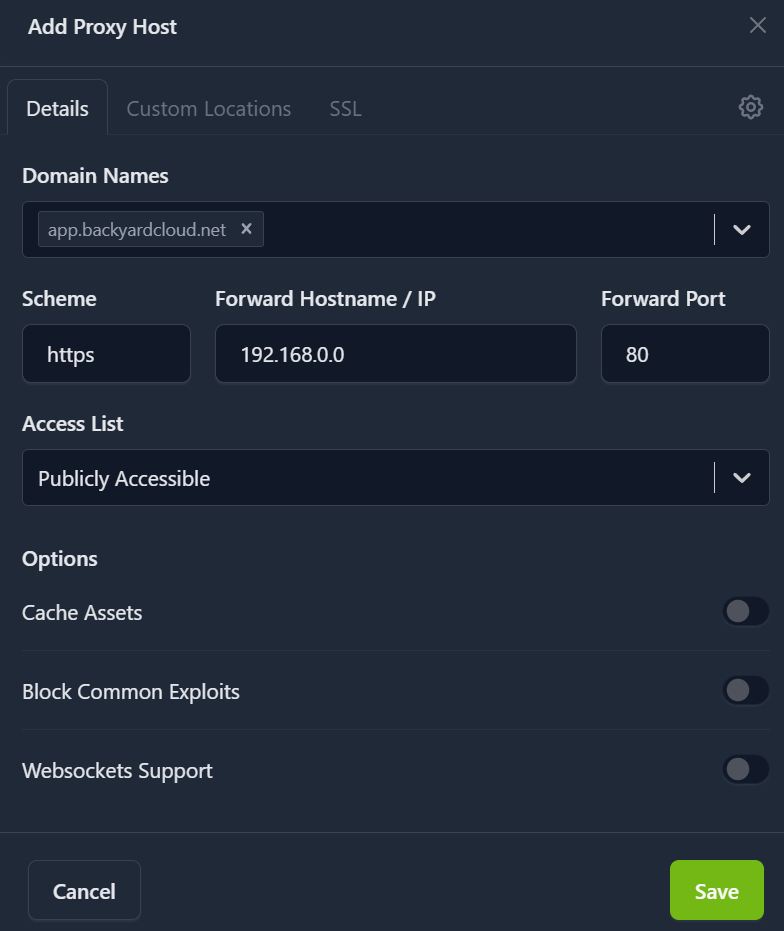
Proxy host configuration mapping the Nextcloud subdomain to the internal container service.
The generated certificate was then applied to the proxy host configuration, allowing encrypted HTTPS connections to be enforced for all client sessions.
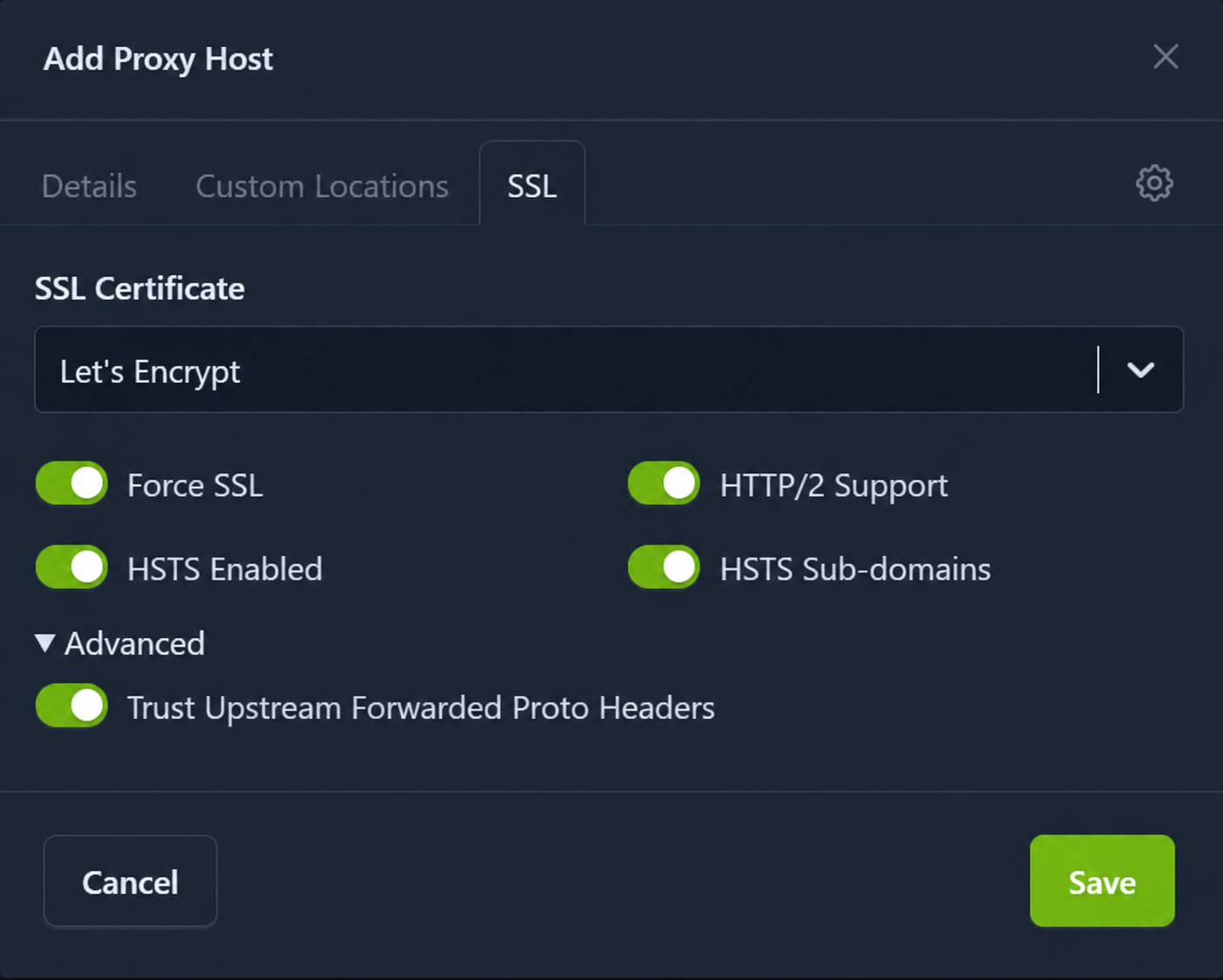
SSL certificate applied to the proxy host with HTTPS enforcement and security protections enabled.
Additional protections were enabled, including forced HTTPS connections and HTTP Strict Transport Security (HSTS), ensuring encrypted communication and preventing protocol downgrade attempts.
Update Nextcloud Trusted Domains Configuration
Because Nextcloud was now accessed through a reverse proxy and subdomain instead of its internal container address, I updated the Nextcloud configuration file to include the external hostname in the trusted domains list.
This allowed Nextcloud to accept requests forwarded through NGINX and Cloudflare Tunnel without triggering host validation errors.
With trusted domains configured correctly, secure external access functioned as expected.
Key Takeaways
Integrating Nextcloud into the Cloudflare Tunnel architecture extended secure remote connectivity beyond infrastructure management and into application-level service delivery. Introducing Cloudflare Zero Trust ensured that access to the application remained identity-aware and restricted before reaching internal resources, while NGINX provided centralized certificate handling and structured reverse proxy routing between services. Together, these changes established a reusable Zero Trust publishing model that can be extended to additional services across separate subdomains, enabling administrative interfaces such as the TrueNAS management dashboard and other internal containerized services to be securely exposed through the same tunnel connector without opening inbound firewall ports.
This architecture allows additional services to be published through the same tunnel connector using independent hostname routes and policy scopes, enabling segmented Zero Trust access across the entire NAS application stack.
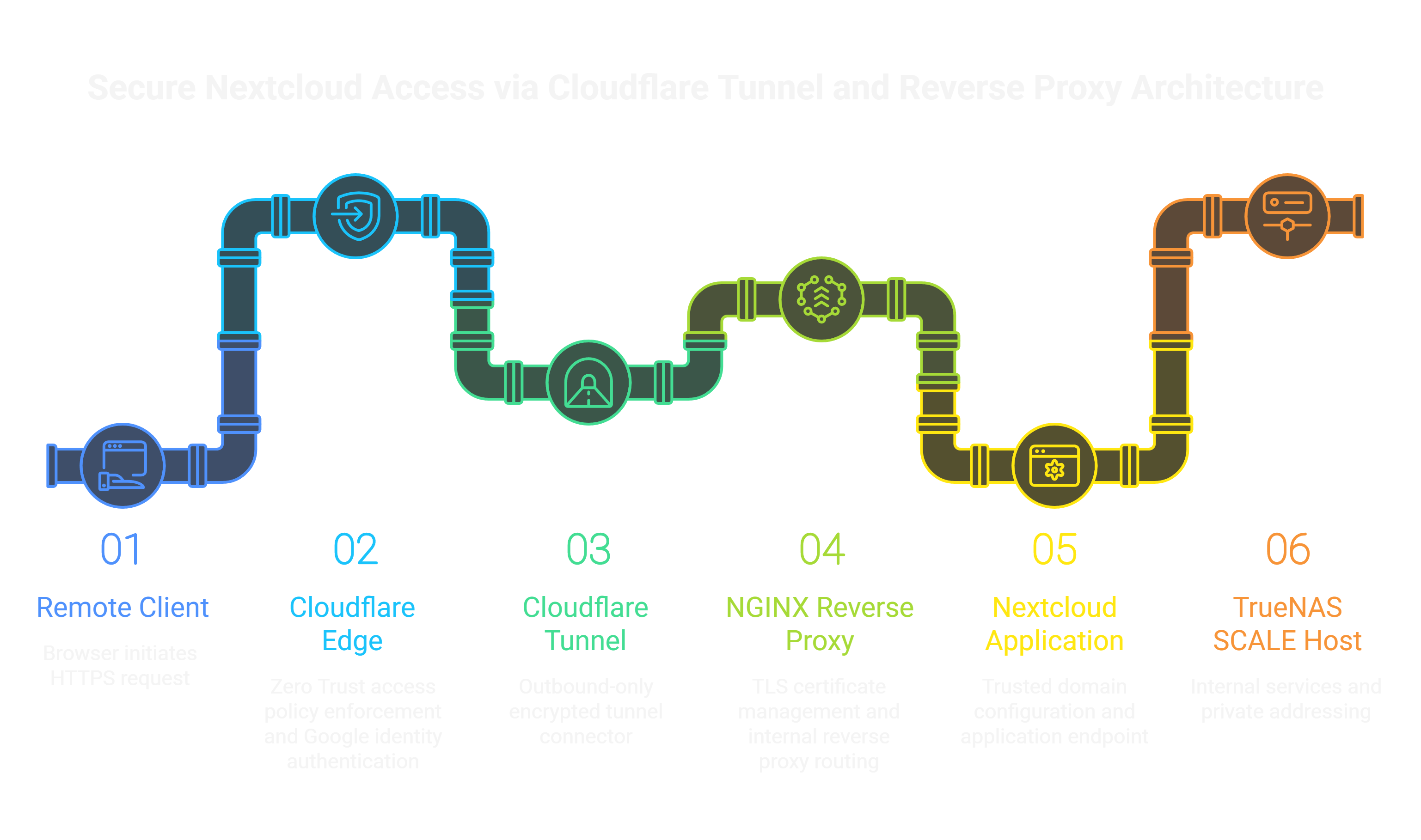
Architecture showing secure publication of the Nextcloud service through Cloudflare Tunnel with identity-aware access enforcement at the edge and internal routing through an NGINX reverse proxy on the TrueNAS SCALE host.